
How to advertise with us - Franchisee
Add A Franchise Listing
Firstly, ensure that you have logged in to the system then select the Franchisee option from the Advertise With Us page.
Then enter:
- Franchise Title, the franchise name
- Franchise Description, the text/copy you wish visitors to read and become engaged to want to contact you. This could be the same as from your website front page. The field allows standard 'html' markup so copy/pasting from your website would copy all the formatting, for example.

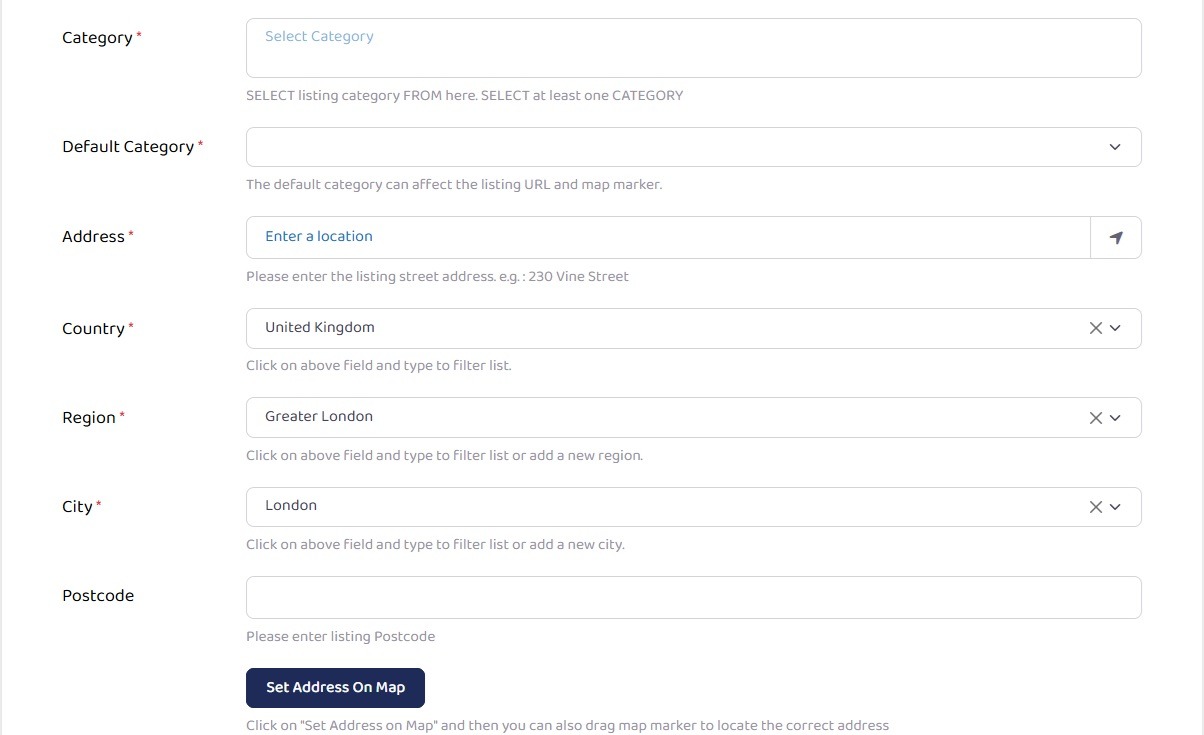
Category and Address
The next options are to enter the main business category and address:
- Category; select from the drop down and select the categories which best suit your business. If none appear to be relevant, or you require another category adding to the list, please do contact us using the contact link on the top menu bar.
- Default Category; select the most appropriate category as this will be the one used in Search Engine Optimisation (SEO) searches of the website.
- Address; self-explanatory, but importantly this is used by Open Street Maps, in combination with Region (County), City (Town) and postcode below to apply the map option to your listing. If your franchise is sole-trader operated, and you do not wish to publish your home address, we suggest that you use an address of a local bank, post office or library instead.
- Region; County
- City; or town
- Postcode.
Map
Having entered the Address in the section above, the map should have updated to the correct map. However, if the map is not correctly showing your business address you can enter additional information in the section below to correct this.
Using your favourite search engine search for: "map coordinates" followed by the address. Most providers will have a "Convert/Measure Coordinates" resulting in:
- Latitude coordinate; Lat (OSGB36) N51:04:13 (51.07026449104013) - use the last number without the brackets.
- Longitude coordinate; Long (OSGB36) W4:04:57 (-4.08253259714512) - as above, use the last number without the brackets.
Your business should now show on the map.

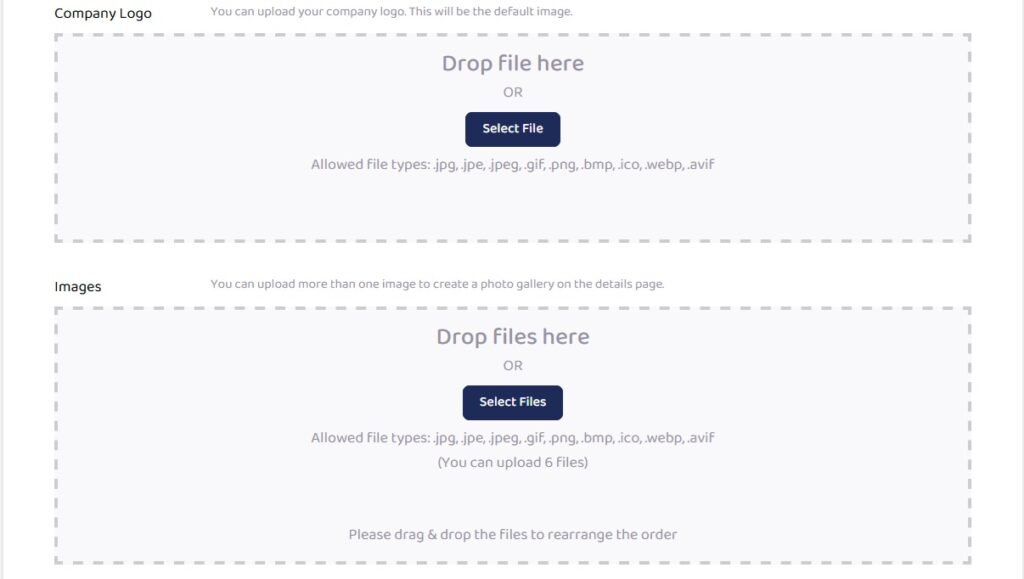
Company Logo and Images
The next section allows you to upload:
- Company Logo; this is the default and will show in the listing, profile tab.
- Images; Any additional images that you feel may be necessary to gain a referral to your business can be uploaded here. They will show in the listing, photo's tab as opposed to on the main listing page.
Contact Information
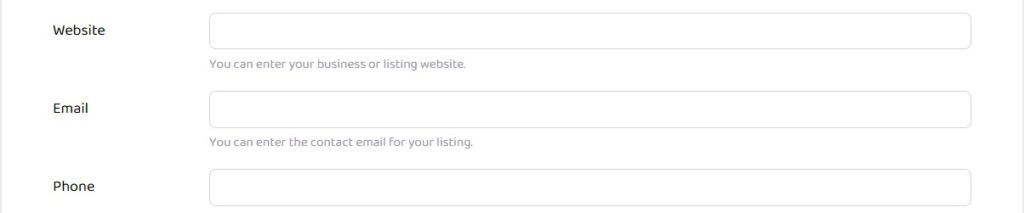
This section allows you to enter the contact information from your franchise including:
- Website; either the main company website URL, or the one specifically used to facilitate your franchise enquiries.
- Email; if you have a separate email for customer/client enquiries use this.
- Phone; please choose the most appropriate number for prospective customer/client to connect with you.
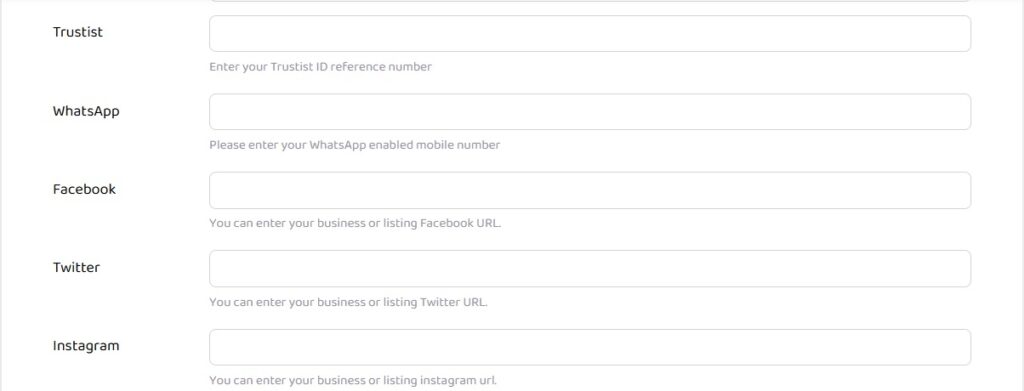
Social Media Information
Enter the social media links if available:
- Trustist; enter the code and the review data will automagically appear, thanks to Trustist.
- Twitter (X)
There is no requirement to fill in all the options, only those that you already have setup. Only the populated fields will show the relevant logo's on your listing.
Find Us, Postcode and ancillary information
This section, in particular the first two options, are used in the systems search function so plan carefully:
- Find Us; enter the County, Towns, Villages in which your franchise operates. Separate each with a comma. The more specific you can be, the easier it will be for website visitors to find you.
- Postcode; depending on your franchise structure, enter the first four digits of the postcodes you operate in.
- Payment Options; some customers prefer to know in advance how you will accept payment. This is not a mandatory field, so leave blank if you prefer.
- Business Hours; Click the Yes option and complete your business hours.
- Franchisor Website; every franchise is a business opportunity. If your franchisor has a recruitment link for business opportunities within the franchise, this is the field to enter the URL that website visitors click.
